# Document Printing
#####
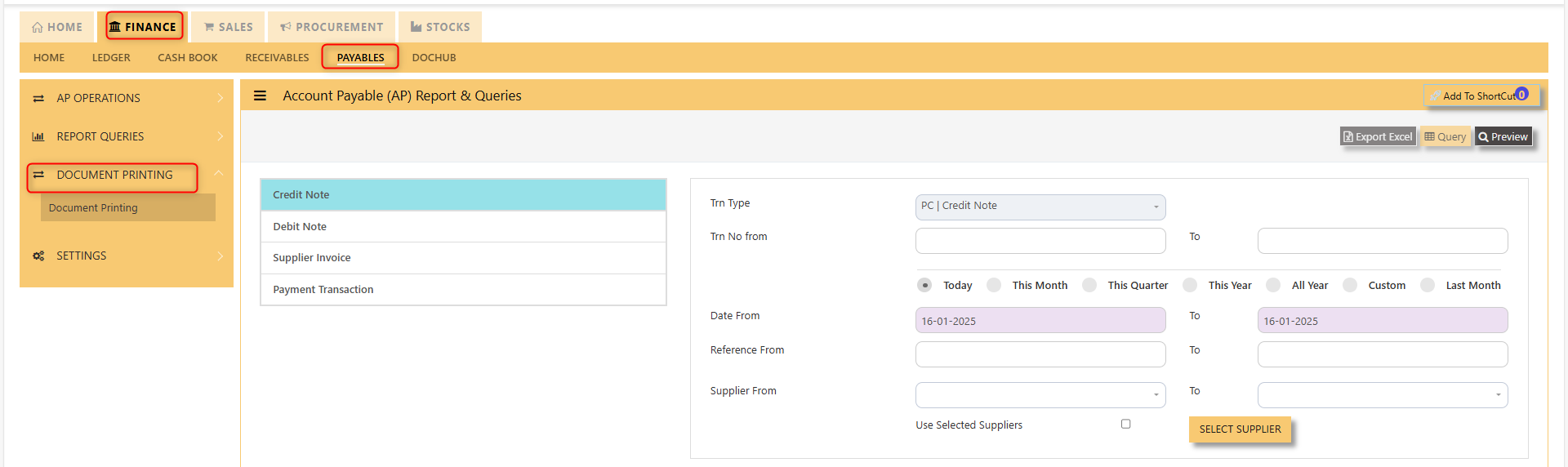
The Document Printing screen shown below enables user to preview and print a range of AP Transactions.
User must select the transaction type concerned as per example in screen below. If a specific range of transaction numbers needs to be printed, user must indicate the range in **Trn No From and To fields.**
Please note that the Trn No range selected must be **within the date range.**
[](https://doc.uniq365.com/uploads/images/gallery/2025-01/PDaimage.png)